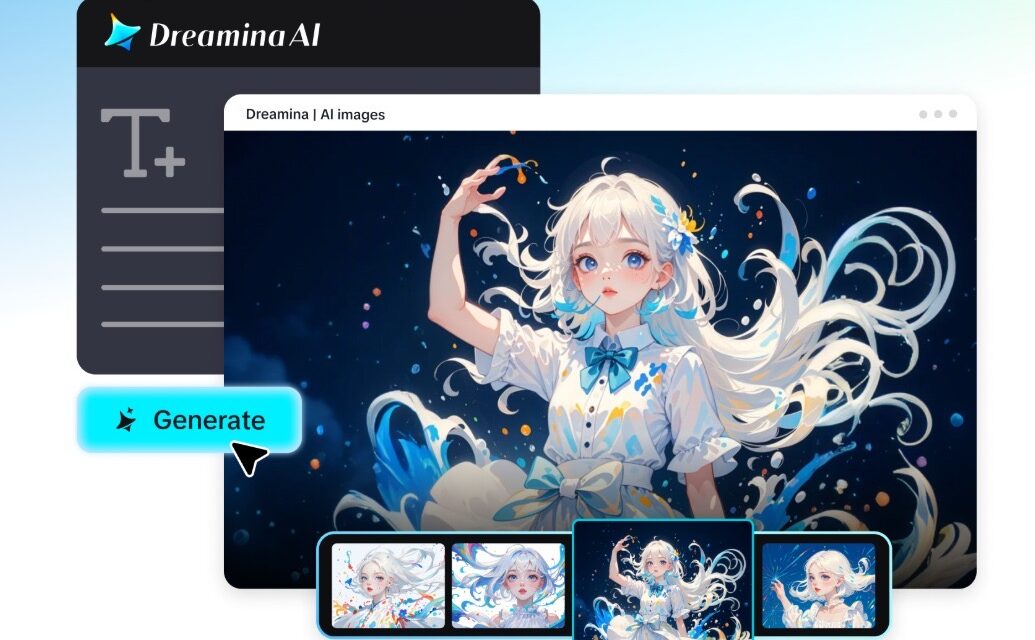

Analog-inspired qualities like light leaks and film grain add character to today’s marketing videos. These effects add warmth, texture, atmosphere, and add unique personalities to promotional images. These are great for lifestyle items, fashion campaigns, and creative brand campaigns. When used properly, these treatments elevate regular product footage to an expressive, cinematic level. Dreamina’s Marketing Studio is an integrated solution featuring AI-driven image generation, video creation, and editing. It aids in converting product images, creative prompts, and reference videos into captivating marketing materials. Its tools are compatible with various visual styles and focus on the product highlighted.
What Are Light Leaks and Film Grain in Marketing Videos?
Light leaks are visual effects of light seeping into traditional film cameras. They are manifested as bright streaks, colored flares, soft highlights, or warm washes. These effects are frequently found at the edges of frames or in certain areas. Film grain is the tiny particles that give texture to photographic images. Film grain is a traditional type of grain that is the result of the physical structure of the film. Digital grain achieves this look with precisely controlled visual patterns. Grain is not the same as too much digital noise; it’s just adding texture without hurting image quality. Both treatments together provide nostalgic, film-like images with a familiar photographic style. Dreamina’s free marketing studio allows you to experiment by using various visual treatments and promotional aesthetics. These effects are especially effective when they are in harmony with the product’s look.
Choosing the Right Aesthetic for Light Leaks and Film Grain
Choosing a proper aesthetic sets the visual direction prior to starting video generation. The various hues, exposure, and textures convey varying brand personalities. Vintage Film is warm, with light leaks and soft grain for nostalgic images. Golden Hour adds an amber tone and subtle adjustments in exposure near product images. Softer promotional visuals are created by using pink, peach, or lavender lighting, as seen in Dreamy Pastels. Retro Editorial is a mixture of film texture and thoughtful product compositions. Cinematic Contrast is a combination of brighter streaks and darker backgrounds, with controlled shadows. Minimal Texture has subtle grain and light leaks for purer looks. Creative directions are allowed to flourish with prompts, templates, and visual references with Dreamina’s Marketing Studio. Coordinate with the selected aesthetic, product colors, audience expectations, and campaign goals.
Preparing Visual Elements Before Applying Cinematic Effects
Good source images serve as better bases for the realistic treatment in cinema. Select product photos that are high quality and clearly show the shape and surface of the product. Determine where light leaks can be found, but where product data is not obscured. Determine if grain is to be constant throughout all scenes. Think about the relationship of warm or cool lights to the colors of the products already in place. Packaging can be reflective, but with some controlled highlights to maintain its original appearance. Transparent objects must also have a good contrast with their background. Choose reference pictures that convey the desired photographic mood. Restrained effects maintain superior visual clarity and product recognition. Product references in Dreamina’s Marketing Studio help guide the generated product advertising visuals. Using the same source materials also allows for consistent, recognizable branding in the promotions.
Add Light Leaks and Film Grain Effects with a Free Marketing Studio
Step 1: Upload your product and set the vintage mood
- Sign up or log in to Dreamina, then get ready to craft a warm, filmic video.
- Open “Marketing Studio” from the left bar to find the tools for this project.
- Select “AI video” for animated footage, “AI image” for still frames, or “AI agent” for both formats. The agent can produce image and short video pieces in one flow.
- Within “AI video”, click “Change style” to choose a retro or cinematic look that supports grain.
- Click “Product” to upload your product photo, then click “Avatar” to add a presenter. The library also offers existing products and avatars if you prefer.
- Write a prompt that describes the glowing light leaks and the soft film grain you want. Add custom direction about color warmth, flicker strength, and overall mood.
Step 2: Choose your settings and generate the footage
- Click the “Reference” tab to add a video that shows the film texture you like. The AI uses it as a guide for your look.
- Pick a model such as HappyHorse 1.1, Dreamina Seedance 2.5, Dreamina Seedance 2.0, Dreamina Seedance 2.0 Fast, Dreamina Seedance 2.0 Mini, or Wan 3.0.
- Set your custom size and detail level with the “Aspect ratio” and “Resolution” tabs.
- Open the “Duration” tab to choose a length that lets the light leaks drift naturally.
- Use the “@” option to mention or highlight your product, so the glow wraps around it.
- Click “Generate” to begin creating your filmic video.
Step 3: Inspect the texture, polish it, and export
- Watch the video in full screen, and check the product framing under the light leaks. Review the avatar’s delivery, and the pacing too.
- If the grain feels too heavy, use “Edit prompt” or “Regenerate” to refine the result.
- You can also choose “Edit in canvas” to adjust the clip freely. Replace the background, add effects, or crop the video there.
- When the film look satisfies you, click “Download” to save the video. Then share it across your marketing channels.
Developing Prompts for Natural-Looking Light Leaks and Film Grain
Specific instructions are given to determine the look of cinematic effects in the produced video. Rather than asking for generic vintage lighting, describe light leak positions, colors, softness, and movement. Specify whether highlights should be placed from frame edges, or on background surfaces. Describe the density, texture, and consistency of grain in various scenes. Talk about the characteristics of 35mm film or more noticeable vintage footage. Include also how these effects are to interact with the surfaces of the product. Don’t give instructions that promote bright overlays over key product info. These can be made clear with a focused prompt. For instance: “Produce a product video that looks like it was shot in a movie, with subtle amber light leaks coming in from the edges of the frame, subtle 35mm style film grain, warm highlights, and crisp product details.” Dreamina’s Marketing Studio provides creative instructions and references to guide video generation. A specific description is useful to create a more consistent visual direction.
Balancing Texture, Exposure, and Product Visibility
The promotional footage can lose its clarity in no time at all with strong cinematic effects. Over-exposure can lose product colors and strip away key product details. For reflective packaging, special attention has to be paid, as there are extra highlights that can hide its form. Balanced exposure is important for transparent products as well, so that their edges are also not lost. Photographic texture should be produced by the film grain, not image degradation. Small details may not be easily discernible with too many particles. Use the same exposure throughout the various scenes. Make background adjustments to ensure they don’t outshine the product. Dreamina’s canvas editing controls offer further ways to edit compositions. Look at the whole video and find out if there are any lighting problems or visual distractions that could be avoided.
Using Analog-Inspired Effects Across Marketing Content
Analog-inspired treatments can be used with various promotional formats and creative campaigns. Warm highlights and soft photographic grain add to vintage product advertisements. Soft light leaks can help create laid-back environments for lifestyle promotions. Retro textures are frequently used in fashion campaigns, and so are exaggerated lighting and careful framing. Cinematic transitions can add light leaks between scenes without the need for complicated changes to the visual. Multiple promotional assets can also be linked together visually with a consistent grain. Using the same references and creative directions will help preserve recognizable branding. Dreamina’s Marketing Studio helps with product advertisement, social media videos, and branded visuals. Resize videos for various placements/publishing platforms. Verticals work well for many campaigns geared toward mobile users, and horizontals work well for larger presentations. For any set of assets that are related to each other, consistent visual treatments ensure that the campaign is consistent.
Conclusion
Promotional videos have warmth, texture, and film personality thanks to light leaks and film grain. They are only effective if exposed in a controlled way, with appropriate references and well-considered prompts. Over-effects can make the product less visible and less important visual details less visible. Dreamina’s Marketing Studio combines AI video creation with creative enhancements. It includes product references, generation models, and editing controls for different advertising concepts. Maintain a balance between cinematic treatments, and make sure the product is still the visual focal point.